

How to Delete Duplicate Songs in Apple Music All At Once


Description
This video shows you 2 ways to find and delete duplicates in Apple Music, including a way to remove them all at once.
Cisdem Duplicate Finder: https://www.cisdem.com/duplicate-finder.html
00:00 Intro
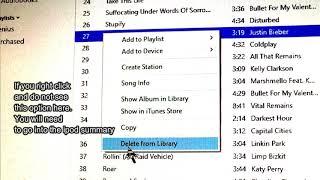
00:16 Method 1. Automatically find duplicates and remove them individually
01:31 Method 2. Automatically find duplicates and delete them all at once
If you see duplicate songs in your Apple Music library, you might want to delete them. Luckily, Apple itself provides a built-in feature called Show Duplicate Items to help users identify duplicates. But the removal process is not efficient. The good news is you can use an Apple Music duplicate remover like Cisdem Duplicate Finder to get rid of duplicates in an easy, quick, and reliable way.
To learn more, see this article. https://www.cisdem.com/resource/apple-music-remove-duplicates.html
#cisdem #cisdemduplicatefinder #applemusic #mac #apple #removeduplicates #duplicatefinder






















Comments