

How to Erase an iPod


Description
Full Playlist: https://www.youtube.com/playlist?list=PLLALQuK1NDrjsCtybZK69UGgPDb7BMnoE
-
-
Watch more How to Use an IPod videos: http://www.howcast.com/videos/281465-How-to-Erase-an-iPod
If your iPod has become too cluttered and you're looking for a fresh start, restore its memory like when it was new.
Step 1: Open iTunes and connect iPod
Open iTunes and connect your iPod to your computer using either a USB cable or a Firewire.
Step 2: Select iPod
Select your iPod form the iTunes window, and then click on the Summary tab at the top of the screen.
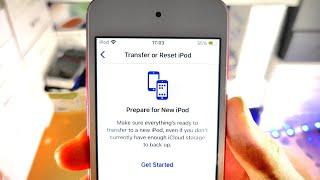
Step 3: Click Restore
Click the Restore button and select one of the four restore options from the system prompt.
Tip
Once you select an option and the process begins, all the data stored on your iPod will be lost forever, but your iTunes library will not be affected.
Step 4: Enter iTunes name and password
Enter your iTunes name and password when prompted, if you are a Mac user.
Step 5: Wait
Wait for the iPod to finish formatting itself, which may take several minutes.
Tip
A progress bar on the iPod screen will allow you to monitor the amount of time remaining.
Step 6: Follow iTunes setup
Follow the prompts from iTunes and set up your iPod as if it were brand new.
Did You Know?
Did you know? A third of Americans under the age of 29 have an iPod or MP3 player, while only 13 percent of Americans over the age of 50 own a music device.



















Comments