

How To Fix a Frozen iPod Video


Description
PLEASE READ DESCRIPTION!(I did not own this step by step guide but I did make the video)
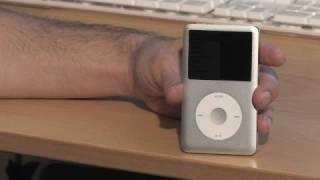
How To Reset/Restart a Frozen iPod Video:
1.
NOTE: First make sure that your iPods hold button isnt on. This is the little switch at the top left corner of the iPod video that you can move to lock the iPods buttons. If this is on, youll see a little orange area at the top of the iPod video and a lock icon on the iPods screen. If you see either of these, move the switch back and see if this fixes the problem.
2.
If the hold switch wasnt the problem do the following:
Move the hold switch to the on position and then move it back to off.
3.
Hold down the Menu button on the clickwheel and the center button at the same time. Hold these together for 6-10 seconds. This should restart the iPod video. Youll know the iPod is restarting when the screen changes and the Apple logo appears.
4.
If this doesnt work at first, you should repeat the steps.
5.
If this doesnt work, you should try plugging your iPod into a power source and let it charge. Then repeat the steps.
6.
If this doesnt work, you may have a bigger problem, and ought to get more help.
























Comments