

How to Get Radio on an iPod


Description
Full Playlist: https://www.youtube.com/playlist?list=PLLALQuK1NDrjsCtybZK69UGgPDb7BMnoE
-
-
Watch more How to Use an IPod videos: http://www.howcast.com/videos/408624-How-to-Get-Radio-on-an-iPod
Want even more variety while listening to your iPod? Use these tips to pick up radio stations and you'll be singing along in no time.
Step 1: Consider buying an iPod nano
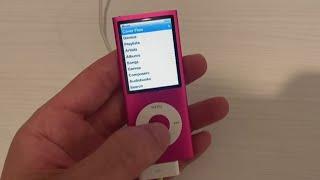
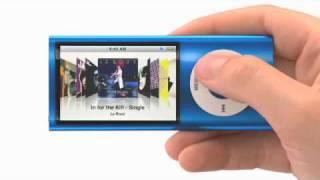
Consider buying an iPod nano with a built-in FM tuner that receives local FM radio stations. The FM tuner was introduced in the 5th-generation nano.
Step 2: Learn to use the Nano's FM tuner
Learn to use the FM tuner. Click on the Nano's radio menu and use the clickwheel to tune in FM channels.
Tip
The Nano's Live Pause feature allows you to pause and resume a live radio broadcast.
Step 3: Consider buying an iPod Touch
Consider buying an iPod Touch. While it doesn't have an FM tuner, iPod Touch streaming radio apps can be downloaded from the iTunes Store.
Step 4: Choose an app
Choose what kind of radio app you want to download. There are apps for national radio stations, satellite radio, and even city-specific radio stations.
Step 5: Learn about special radio apps
Learn about other streaming apps where users enter a favorite song's title or artist, and the app creates a "station" that plays similar songs and artists. Now plug in your headphones or hook up your speaker station and enjoy radio on your iPod.
Did You Know?
For over 10 years, Apple Chairman and CEO Steve Jobs has received an annual salary of just $1.


















Comments