

How to Replace iPod Classic Battery HD (A1099,A1059,A1136,4th Gen)


Description
Buy iPod Battery with Tools: https://amzn.to/32oXgkP
Buy Battery (No Tools): https://amzn.to/2oPLFN5
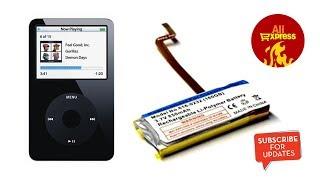
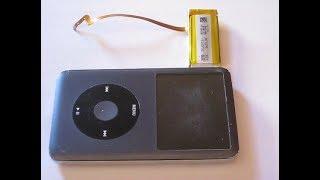
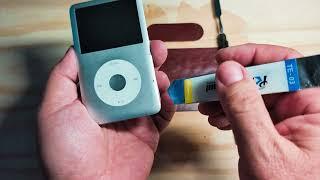
This video shows how to replace the battery in an iPod classic. See model numbers below.
iPod Classic 4th Gen
Classic
Photo 20GB 30GB 40GB 60GB
Models: A1099, A1059, A1136
Part: 616-0206
iPod (Click Wheel)
Navigation: Click Wheel
Capacity: 20 and 40 GB
Model number and date introduced: A1059: July 2004
iPod (Click Wheel) models have a Click Wheel like the iPod mini, but are larger and the hold switch is on the top-right side. iPod (Click Wheel) models have a monochrome display. iPod (Click Wheel) is referred to as the fourth-generation iPod.
iPod with color display
Navigation: Click Wheel
Capacity: 20 and 60 GB
Model number and date introduced: A1099: June 2005
iPod and iPod photo are now one and the same, with every white iPod boasting a full-color display. They continue to have the same controls as iPod (Click Wheel) but now all models have a color display like iPod photo—ideal for viewing album artwork and playing slideshows. These are considered fourth-generation models along with iPod (Click Wheel).
iPod Special Edition U2
Navigation: Click Wheel
Capacity: 20 and 30 GB
Model numbers and dates introduced:
A1136: September 2006
A1136: June 2006
A1099: June 2005
A1059: October 2004
The iPod Special Edition U2 is a standard iPod model with some differences, including: Black plastic exterior, red Click Wheel, signatures of the U2 band members engraved on the back, and "iPod Special Edition U2" engraved on the back.
The first model was based on an iPod (Click Wheel) with a 20 GB hard drive. In June 2005, a new version of the iPod Special Edition U2 was introduced that was based on an iPod with color display. These are both also considered fourth-generation iPod models. In June 2006, a new version of the iPod Special Edition U2 was introduced that is based on a 5th-generation iPod (also known as iPod with video) with a 30 GB hard drive. In September 2006, a model based on the iPod (5th generation Late 2006) was introduced.
The last three characters of the serial number are W9G.
Video Title: How to Replace iPod Classic Battery HD (A1099,A1059,A1136,4th Gen)
Video File Created Date: Thursday, October 17, 2019 (Video may or may not have been captured on this date, it shows the date the video was last converted.)
-- Video uploaded and managed using YouTube Bulk Uploader for the Lazy!
-- Manage and Auto-Tag your YouTube videos offline... Then upload!
-- http://ginkosolutions.com/youtube-bulk-uploader/
-- GinkoSolutions.com
Video Tags:
how to, ipod, classic, battery, hd, a1099, a1059, 616-0206, a1136, 4th gen, 4th generation, replace ipod battery, a1099 battery, a1099 battery replacement, ipod 4th gen battery replacement, ipod battery replacement, 20gb, 30gb, 40gb, 60gb, ipod classic battery replacement, replace ipod classic battery, video, review, battery replacement, a1059 battery replacement, a1136 battery replacement, 616-0206 battery, ipod special edition u2, click wheel, ipod click wheel





















Comments