

How to replace the battery on an iPod Classic 6th & 7th Generation


Description
Title: How to Open an iPod Classic 6th & 7th Gen to Replace the Battery (Without Damaging the Case!)
How to open an iPod Classic 6th & 7th Generation to change the battery without damaging the case
Description:
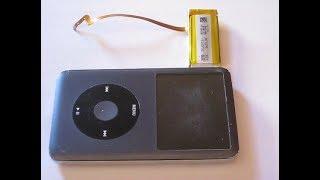
Want to give your iPod Classic a new lease on life? In this video, I'll show you how to open an iPod Classic 6th or 7th Generation to replace the battery without damaging the case! Follow these step-by-step instructions to carefully open your device, disconnect the old battery, and install a new one. Let’s keep that music playing! ????
Timeline:
00:00 - 01:25 Welcome
01:26 - 2:50 The proper approach to opening up the iPod Classic
02:51 - 04:35 Opening the iPod Classic
04:36 - 05:46 Taking out the battery and reinserting the new battery
05:47 - 6:52 - Closing up the iPod Classic
Hashtags:
#iPodClassic, #BatteryReplacement, #DIYRepair, #TechTips, #RetroTech, #MusicRestoration, #iPodMods, #Apple



















Comments